


- 26 Aug, 2026
- 0 Comments
- 15 Mins Read

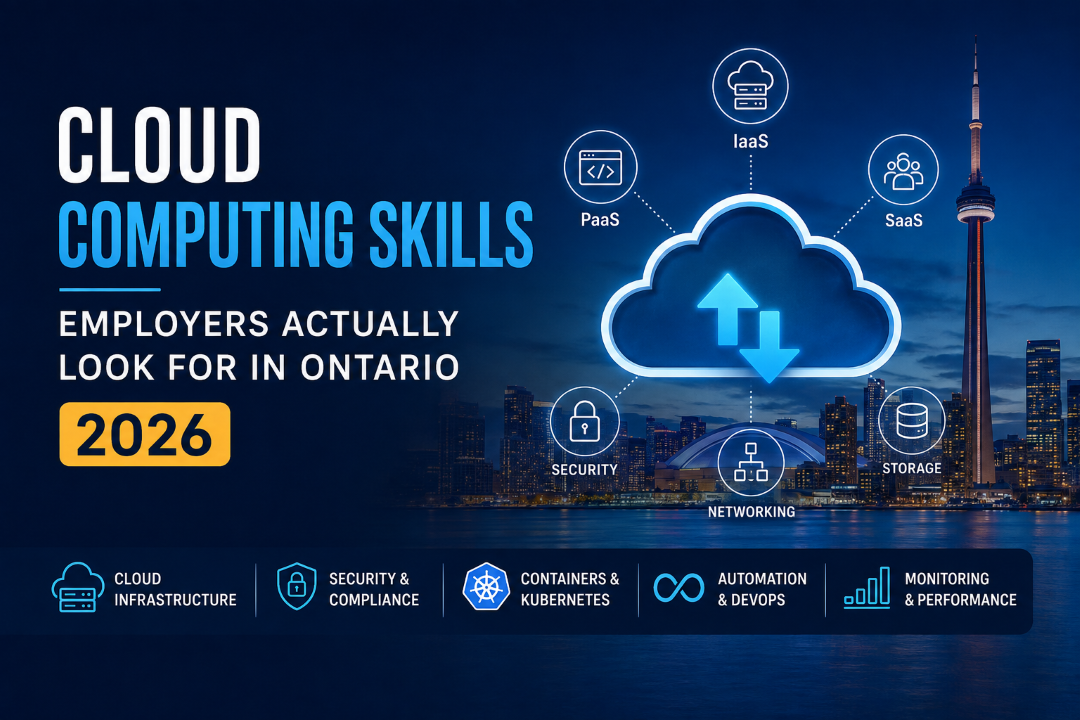
Cloud Computing Skills Ontario Employers Value Most in 2026
Cloud job descriptions can look confusing at first.
One employer may ask for Azure. Another may list AWS. A third may want Kubernetes, networking, identity management, containers or DevOps experience.
Look past the individual product names, however, and a pattern becomes much easier to see.
Many of the cloud computing skills employers look for in Canada come back to the same core abilities: understanding how cloud infrastructure works, knowing how applications and data are deployed, recognizing security responsibilities, and being able to troubleshoot technology instead of simply following instructions inside a cloud console.
That distinction matters for anyone thinking about starting or advancing a cloud career in Ontario.
A specific product interface can change. Services can be renamed. New tools appear constantly. The principles underneath cloud computing tend to remain much more transferable.
For that reason, learners who understand infrastructure first are often better prepared to add Azure, AWS, Kubernetes, DevOps and other platform-specific skills later.
IIBS offers several cloud-focused learning options through its Cloud Computing course category, including training that connects cloud architecture with Azure, containers, security and modern DevOps practices.
What Do Employers Mean When They Ask for “Cloud Skills”?
Knowing how to log in to a cloud platform is useful, but it is not the same as understanding cloud computing.
Employers generally need people who can think about questions such as:
- Where should an application run?
- What type of storage should support it?
- Who should have access?
- How should the system scale?
- What happens if a service fails?
- How should data be protected?
- How can infrastructure be monitored?
- Which parts should be automated?
- When is public cloud appropriate?
- When might private or hybrid infrastructure make more sense?
These are infrastructure and architecture questions rather than simply vendor-interface questions.
Someone who understands networking, virtualization, storage, identity, security and deployment principles has a base that can transfer between different technologies.
That is why learning cloud infrastructure basics for beginners can be more valuable than rushing immediately into a long list of individual cloud services without understanding how those services fit together.
Start With the Foundation: IaaS, PaaS and SaaS
One of the first concepts every cloud learner should be comfortable explaining is the difference between the major cloud service models.
Infrastructure as a Service — IaaS
IaaS provides computing infrastructure without requiring an organization to own and maintain all the physical hardware itself.
That infrastructure can include:
- Virtual machines
- Processing capacity
- Storage
- Networking
- Load balancing
- Related infrastructure services
The cloud provider manages the physical environment, while the customer maintains significant responsibility for operating systems, configurations, applications and data.
People working in infrastructure administration, cloud operations and architecture regularly interact with this layer.
Platform as a Service — PaaS
PaaS removes more of the underlying infrastructure management.
Instead of configuring every component needed to run an application, a development team can use a managed platform where many infrastructure responsibilities have already been handled.
That allows developers to concentrate more heavily on building and deploying applications.
Understanding PaaS becomes particularly important as organizations adopt managed databases, application services and cloud-native development platforms.
Software as a Service — SaaS
SaaS is the most complete service model from the end-user perspective.
The application is already built, hosted and maintained by the provider, and users typically access it through a browser or application.
Many everyday business tools for communication, accounting, customer management and collaboration operate this way.
For anyone searching for “IaaS PaaS SaaS explained,” the simplest way to remember the difference is the amount of technology the organization manages itself.
With IaaS, the customer manages more.
With PaaS, much of the platform is managed for them.
With SaaS, the provider manages almost the entire application environment.
Understanding that difference helps learners make sense of many other cloud architecture decisions.
Public, Private, Hybrid and Multicloud Environments
Employers also want cloud professionals who understand that “moving to the cloud” does not always mean putting everything inside one public cloud provider.
Different organizations have different technical, financial, security and regulatory needs.
Public Cloud
Public cloud services provide shared cloud infrastructure operated by companies such as Microsoft, Amazon and Google.
Organizations can provision resources as required without building the underlying physical data-centre infrastructure themselves.
This model is attractive because it can provide scalability, flexibility and access to a large range of managed services.
Private Cloud
A private cloud environment is dedicated to a particular organization.
Businesses may use private infrastructure when they need greater control over systems, data or specific operational requirements.
Hybrid Cloud
Hybrid cloud combines cloud environments.
For example, an organization may maintain certain systems within infrastructure it directly controls while using public cloud services for other workloads.
This is particularly relevant for established enterprises that cannot or do not want to move every application into public cloud infrastructure at once.
Multicloud
Multicloud means deliberately using services from more than one cloud provider.
An organization might use Azure for some business applications while operating other workloads through AWS.
This is different from hybrid cloud.
When people search for “hybrid cloud vs multicloud explained,” the distinction is useful:
Hybrid cloud focuses on combining different types of cloud or on-premises environments.
Multicloud focuses on using multiple cloud providers.
In real organizations, the two strategies can also exist together.
Understanding these architecture models allows cloud professionals to discuss practical issues such as resilience, cost, complexity, integration and dependency on individual providers.
Virtualization Makes Modern Cloud Infrastructure Possible
Virtualization is another concept that cloud professionals should understand before moving too far into platform-specific technologies.
Traditionally, one physical server might have been dedicated to a particular workload.
Virtualization changed that model by allowing physical computing resources to support multiple virtual environments.
A hypervisor can divide physical server capacity into separate virtual machines, each capable of behaving like an independent computer.
This creates much greater flexibility in how computing resources are assigned and used.
Cloud computing extends that flexibility enormously.
Instead of waiting for physical servers to be purchased, installed and configured, organizations can provision virtual resources much more quickly.
If you understand what virtualization does and why businesses use it, many cloud concepts become easier to understand.
Containers Are Becoming Part of the Cloud Skill Set
Virtual machines are not the only way modern applications are packaged and deployed.
Containers allow an application and its dependencies to be packaged into a lightweight, portable environment.
The result is greater consistency between development, testing and production environments.
This is one reason technologies such as Docker and Kubernetes appear frequently in cloud and DevOps conversations.
Kubernetes goes beyond simply running containers. It helps organizations manage containerized applications at scale, including deployment, availability and workload management.
Cloud professionals do not necessarily need to become Kubernetes experts on day one.
They should, however, understand:
- What containers are
- How containers differ from virtual machines
- Why organizations use containerization
- What container orchestration means
- Why Kubernetes has become important in cloud-native architecture
Professionals ready to move beyond introductory cloud concepts can explore IIBS’s Modern Cloud Architect with Azure, Kubernetes & DevOps course, whose current curriculum includes cloud architecture, containerization, Kubernetes, storage, security, monitoring and scalability.
Networking Is Still One of the Most Important Cloud Skills
Cloud infrastructure still depends on networking.
A learner who understands virtual machines but has no idea how systems communicate with one another will quickly encounter limitations.
Important foundational networking concepts include:
- IP addressing
- Subnets
- Routing
- DNS
- Firewalls
- Private and public networks
- Load balancing
- Network access controls
- Secure remote connectivity
You do not need to become an advanced network engineer before beginning cloud training.
You should, however, be able to understand how a request moves between systems and why a particular service is or is not reachable.
Troubleshooting becomes much easier once networking fundamentals are clear.
Storage Skills Matter More Than Beginners Expect
Data is not stored in exactly the same way for every cloud application.
Different workloads have different requirements for speed, access patterns, scalability, sharing and cost.
Three important categories are:
Block Storage
Block storage is frequently associated with applications that require structured, high-performance access to storage, including many database and virtual-machine workloads.
File Storage
File storage organizes information using familiar folders and files and can be useful when multiple systems or users require shared access.
Object Storage
Object storage is designed for large quantities of unstructured information.
It is commonly used for content such as:
- Backups
- Documents
- Images
- Video
- Application assets
- Logs
- Archived information
An employer does not necessarily expect an entry-level candidate to design a complex enterprise storage architecture.
They may, however, expect someone working with cloud infrastructure to understand why different workloads require different storage approaches.
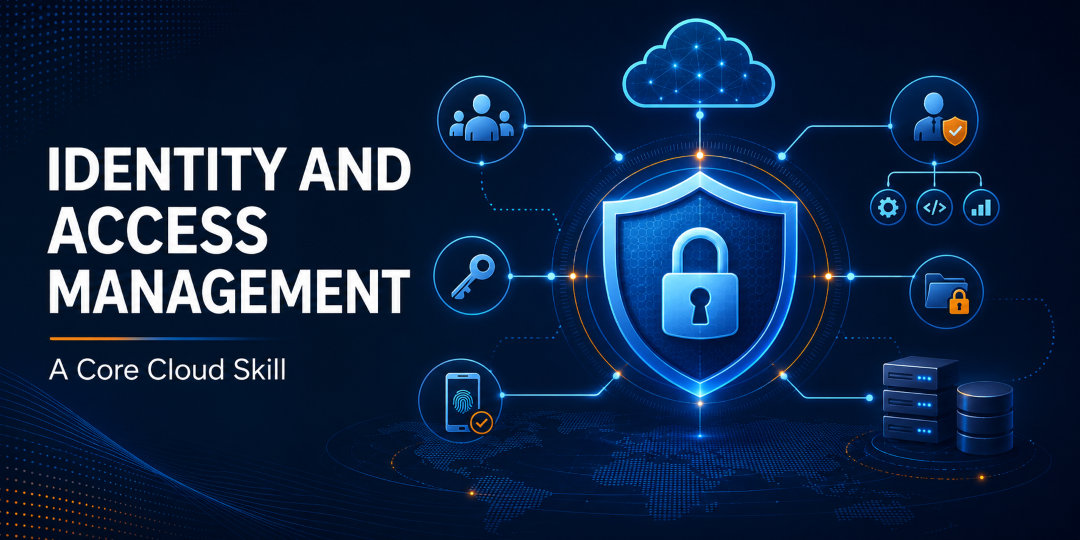
Identity and Access Management Is a Core Cloud Skill
Cloud security starts with knowing who can access what.
Identity and Access Management, commonly shortened to IAM, helps organizations control access to cloud resources.
Some of the most important principles include:
- Authentication
- Authorization
- Role-based access
- Least privilege
- Multi-factor authentication
- User and service identities
- Credential management
The principle of least privilege is particularly important.
A user, application or service should generally receive only the permissions necessary to perform its required work.
Giving excessive administrative access may be convenient in the short term, but it increases security risk.
IIBS’s AWS Cloud Architect Training course includes IAM alongside networking, computing, storage, monitoring and security topics, illustrating how access management fits into wider cloud administration.
Cloud Security Is Everyone’s Responsibility
A cloud provider securing its data centres does not automatically make every application running on that infrastructure secure.
Customers still need to configure their own environments correctly.
Cloud professionals should understand foundational practices including:
- Identity management
- Encryption
- Network protection
- Secure configuration
- Monitoring
- Logging
- Backup planning
- Patch management
- Incident awareness
Encryption is commonly considered in two states.
Encryption at rest protects stored information.
Encryption in transit protects information while it is moving between systems.
Configuration also matters enormously.
A technically powerful cloud service can still create risk if permissions are too broad, sensitive information is exposed or monitoring has not been configured.
This growing overlap between cloud infrastructure and information security is also why cloud knowledge can complement cyber security training.
Learners interested in that direction can review the IIBS Cyber Security course, which covers areas such as network security, cyber threats, infrastructure security, compliance and risk management.
Monitoring and Troubleshooting Separate Theory From Practical Skill
Building a cloud resource is only half the job.
Someone also needs to determine whether it is working correctly.
Cloud environments generate large amounts of information about:
- Performance
- Resource usage
- Availability
- Errors
- Authentication activity
- Security events
- Application behaviour
A practical cloud professional should gradually become comfortable using monitoring information to answer questions such as:
Why is an application responding slowly?
Why can a user no longer reach a resource?
Why has resource consumption increased?
Did a configuration change cause the problem?
Is there a security issue or simply a technical failure?
Employers value troubleshooting ability because production environments rarely behave exactly like classroom exercises.
The ability to investigate a problem systematically is often more useful than memorizing dozens of product features.
Automation and DevOps Are Natural Next Steps
As cloud environments grow, manually configuring every resource becomes inefficient.
That is where automation and DevOps skills begin to matter.
Professionals may eventually work with concepts and technologies such as:
- Continuous integration
- Continuous delivery
- Infrastructure as code
- Automated deployments
- Git
- Docker
- Kubernetes
- Terraform
- Monitoring and observability
- Automated testing
These skills are especially relevant for people progressing from cloud administration toward DevOps, platform engineering or cloud architecture.
IIBS has a detailed guide on whether Azure and AWS DevOps training is worth it in Canada in 2026 for readers who want to explore that progression further.
Do You Need to Learn AWS or Azure First?
This is one of the most common questions among people beginning cloud training.
There is nothing wrong with choosing a specific platform.
The mistake is assuming that learning a platform automatically means understanding cloud computing.
Before concentrating heavily on one vendor, try to become comfortable with:
- Compute
- Networking
- Virtualization
- Storage
- Cloud service models
- Deployment models
- Identity
- Security
- Monitoring
- Scalability
Once these concepts make sense, vendor terminology becomes easier to learn.
You begin to recognize that different providers often solve similar infrastructure problems using differently named services.
That makes it much easier to move between environments during your career.
Where Do These Skills Appear in Real Jobs?
Cloud technology now supports organizations across many parts of the Canadian economy.
Infrastructure is used in sectors including:
- Financial services
- Healthcare
- Government
- Manufacturing
- Retail
- Logistics
- Professional services
- Education
- Telecommunications
- Technology
The exact responsibilities vary considerably between organizations.
Someone working in cloud support may spend much of the day troubleshooting access and infrastructure.
A cloud administrator may provision resources, manage identities, monitor systems and maintain configurations.
A DevOps professional may focus more heavily on automation and deployment pipelines.
A cloud architect may design the overall environment and make broader decisions about security, scalability, cost and integration.
Entry-Level Cloud Career Pathways in Ontario
There is no single job title that everyone must follow.
Possible entry-level cloud career pathways in Ontario may include roles such as:
- Cloud Support Analyst
- Junior Cloud Administrator
- IT Infrastructure Support Specialist
- Technical Support Analyst
- Junior Systems Administrator
- Cloud Operations Analyst
- Application Support Analyst
With additional practical experience, professionals may later move toward positions such as:
- Cloud Administrator
- Cloud Engineer
- DevOps Engineer
- Cloud Solutions Engineer
- Platform Engineer
- Cloud Consultant
- Cloud Architect
Career progression depends on technical ability, previous experience, certifications, projects, employer requirements and labour-market conditions.
Training can help build skills, but no individual course can guarantee a specific job title, promotion or salary.
IIBS also discusses the beginning of this career pathway in its guide, The Cloud Job Market Has a Specific Problem — and Beginners Are Part of the Solution.
What Should You Learn Before Pursuing Advanced Cloud Certifications?
A certification can give your learning structure and provide a recognizable credential.
It should not replace understanding.
Before moving deeply into certification preparation, make sure you can explain concepts such as:
- What virtualization accomplishes.
- How IaaS differs from PaaS and SaaS.
- How public and private clouds differ.
- How hybrid cloud differs from multicloud.
- Why different storage types exist.
- How IAM controls access.
- Why encryption matters.
- What containers solve.
- Why monitoring is necessary.
- How automation changes infrastructure management.
Once these foundations are established, platform-specific training becomes more meaningful because you understand the problem each service is designed to solve.
Building Cloud Skills Through IIBS
Students and working professionals considering cloud training can explore the IIBS Cloud Computing course collection to review available learning options.
For learners looking toward architecture, containerization and DevOps, the Modern Cloud Architect with Azure, Kubernetes & DevOps course currently includes topics such as:
- Azure and cloud architecture concepts
- IaaS and PaaS
- Containerization
- Kubernetes
- Cloud storage
- Authentication and authorization
- Encryption
- Monitoring and diagnostics
- Scalability
- Resiliency
- Cost optimization
Learners interested in an AWS-focused direction can also review the AWS Cloud Architect Training course.
Before enrolling in any training program, review the current curriculum, prerequisites, delivery format, schedule and certification information to determine whether it matches your existing skills and career objectives.
Current and upcoming class dates can be checked through the IIBS Course Schedule.
Exploring Training Funding in Ontario
People changing careers may also want to investigate whether they qualify for government-supported training.
Ontario’s current program is called Better Jobs Ontario, which replaced the program previously known as Second Career.
IIBS maintains a Second Career Program information page explaining its training-support resources and advising process.
Because government program names, eligibility requirements and funding conditions can change, prospective applicants should confirm their current eligibility with Employment Ontario before making financial or enrolment decisions.
Eligibility is assessed individually, and training funding should never be assumed to be automatic.
Frequently Asked Questions
What cloud computing skills do employers look for in Canada?
Employers may look for a combination of cloud infrastructure, networking, virtualization, storage, identity and access management, security, monitoring, troubleshooting and automation skills. Specific platform requirements such as Azure or AWS vary between roles.
Can a beginner learn cloud computing without an IT degree?
Yes. Cloud fundamentals can be learned progressively. Beginners often benefit from starting with networking, operating systems, virtualization, service models and security before moving into advanced cloud architecture or DevOps topics.
Do I need programming skills for a cloud career?
Not every cloud role requires application-development expertise.
Cloud support and administration positions can involve more infrastructure management and troubleshooting. Basic scripting and automation skills become increasingly useful as responsibilities become more advanced.
What is the difference between IaaS, PaaS and SaaS?
IaaS provides infrastructure resources such as virtual machines, networking and storage.
PaaS provides a managed environment for developing and running applications.
SaaS provides a completed application that users access as a service.
The major difference is how much of the underlying technology the customer is responsible for managing.
What is the difference between hybrid cloud and multicloud?
Hybrid cloud combines different infrastructure environments, commonly private or on-premises infrastructure with public cloud services.
Multicloud means using services from multiple cloud providers.
An organization can use both approaches simultaneously.
Should I learn AWS or Azure first?
Either can be a reasonable starting point.
Before specializing, however, understanding transferable concepts such as compute, networking, storage, virtualization, IAM and security can make learning any cloud platform easier.
Are containers important for cloud computing?
Increasingly, yes.
Containers are widely used to package and deploy modern applications, while platforms such as Kubernetes help manage containerized workloads at scale.
A beginner does not need advanced Kubernetes expertise immediately, but understanding the purpose of containers is becoming increasingly useful.
What jobs can cloud computing skills lead to?
Possible roles include cloud support, cloud administration, infrastructure support, cloud engineering, DevOps, platform engineering and eventually cloud architecture.
The appropriate starting role depends on your existing education, technical background, practical experience and employer requirements.
Can Better Jobs Ontario support cloud training?
Better Jobs Ontario provides training assistance to qualifying applicants, but eligibility and the suitability of a particular training program are determined through the applicable government assessment process.
IIBS also provides information through its Second Career resource page. Applicants should verify the latest requirements before enrolling.
Final Thoughts
Cloud computing changes quickly, but the fundamentals underneath it are much more stable.
Platforms will continue to introduce new services. Automation will continue to expand. Containers, artificial intelligence and DevOps will continue influencing how infrastructure is designed and managed.
Yet professionals will still need to understand how computing, networking, storage, identity, security and applications fit together.
That is the real foundation behind the cloud computing skills employers look for in Canada.
Instead of treating cloud learning as a race to memorize one platform, build an understanding of the infrastructure first. Then use AWS, Azure, containers, Kubernetes, automation and certification training to deepen that foundation in the direction that fits your career.
To explore available training, visit the IIBS Cloud Computing courses or review the Modern Cloud Architect with Azure, Kubernetes & DevOps program to see the current curriculum and learning topics.